
Free Text Tools for Writing, Editing, and Formatting
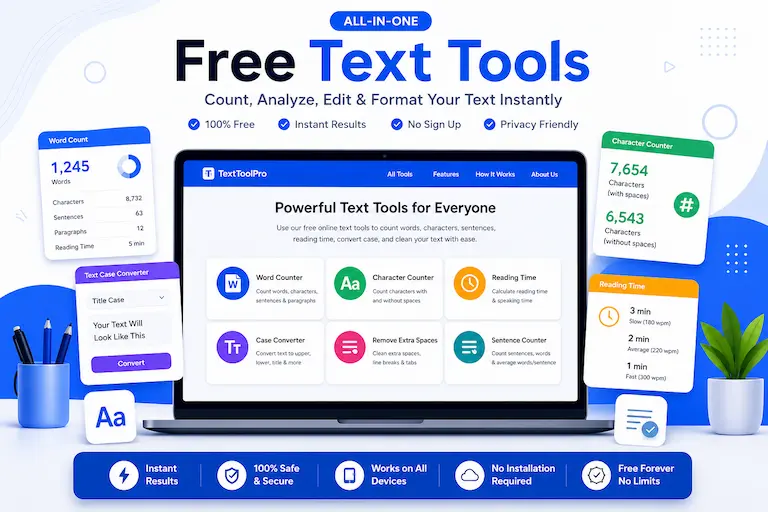
Use our free text tools to count words, characters, sentences, reading time, convert text case, and remove extra spaces online. These browser-based tools are built for students, writers, bloggers, editors, marketers, teachers, and anyone who works with text every day.
Table of Contents
Use these quick links to explore the main sections of this free text tools page.
All Free Text Tools
Choose a tool below to quickly analyze, clean, or format your writing. Each tool works directly in your browser and does not require signup, installation, or file upload.
Word Counter for Essays
Count words, characters, sentences, paragraphs, reading time, speaking time, and average word length for essays and writing.
Open Tool →Character Counter Without Spaces
Count characters without spaces, characters with spaces, and words for SEO, forms, SMS, bios, and social posts.
Open Tool →Reading Time Calculator
Estimate reading time and speaking time from pasted text or manual word count using slow, average, and fast speeds.
Open Tool →Text Case Converter
Convert text to uppercase, lowercase, title case, sentence case, capitalized case, and alternating case instantly.
Open Tool →Remove Extra Spaces
Clean messy text by removing double spaces, extra line breaks, leading spaces, trailing spaces, and unwanted gaps.
Open Tool →Sentence Counter
Count sentences, words, paragraphs, characters, and average words per sentence for writing and readability analysis.
Open Tool →Why Use These Online Text Tools?
Text editing and writing tasks often need quick checks. You may need to know how many words are in an essay, whether a meta description is too long, how long a blog post takes to read, or whether copied text contains unwanted spaces. This tools page brings those common writing utilities together in one place.
Instead of using separate software, you can open the right tool, paste your text, check the result, and copy the improved output. These free text tools are useful for academic writing, blogging, SEO content, online forms, social media posts, speeches, scripts, emails, product descriptions, and professional documents.
A strong text workflow saves time. For example, you can count words in an essay, check character length for a form, estimate reading time for a blog post, convert headings into title case, clean extra spaces from copied text, and review sentence count before publishing. Keeping these tools in one hub makes your editing process faster and more organized.
Best Tools for Students, Writers, and Bloggers
Students can use the word counter, sentence counter, and reading time calculator for essays, assignments, presentations, and academic writing. These tools help check word limits, review sentence balance, estimate speech length, and improve writing before submission.
Bloggers and website owners can use the character counter, case converter, and extra spaces remover to prepare cleaner content before publishing. These tools are useful for meta descriptions, titles, headings, captions, article drafts, and copied text that needs formatting cleanup.
Editors and marketers can use these tools to improve readability, check text length, clean copied text, format headings, and make writing more professional. For more practical writing advice, explore our Writing Guides for help with word counts, text formatting, readability, and other writing tasks. The goal is simple: reduce repetitive manual work and make text preparation faster, cleaner, and more consistent across every writing project.
FAQs About Free Text Tools
What are free text tools?
Free text tools are online utilities that help you count, clean, format, and analyze text without installing software.
Are these text tools free to use?
Yes, all listed tools are free to use directly in your browser.
Which tool should I use for essays?
Use the Word Counter for Essays, Sentence Counter, and Reading Time Calculator for essay writing and editing.
Which tool helps clean copied text?
The Remove Extra Spaces tool helps clean copied text by removing extra gaps, double spaces, and unwanted line breaks.
Which tool helps with SEO meta descriptions?
The Character Counter Without Spaces is useful for checking text length in meta descriptions, titles, forms, and social posts.
Start Using Free Text Tools
Select any tool above and start counting, cleaning, formatting, or analyzing your text instantly.
Explore Text Tools