
Free Online Text Tools to Count, Clean, and Format Text
TextToolPro gives you fast and simple free online text tools for everyday writing tasks. Count words, check characters, calculate reading time, convert text case, remove extra spaces, and analyze sentences directly in your browser.
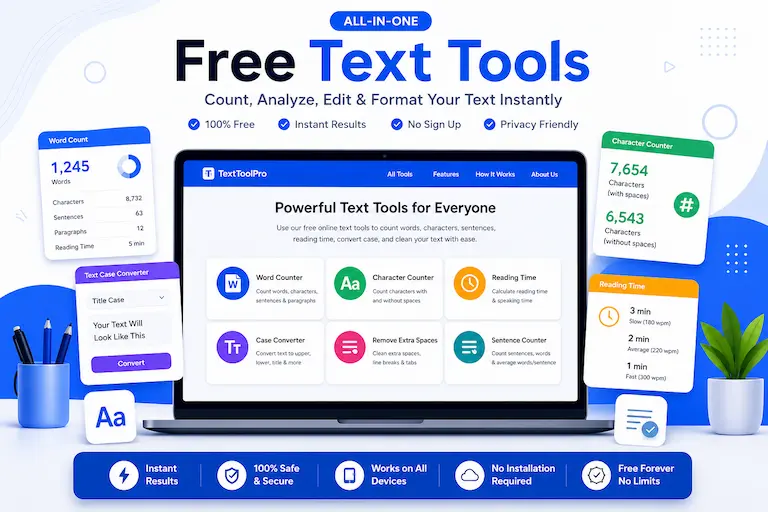
Table of Contents
Use these quick links to explore TextToolPro and its free online text tools.
Popular Free Text Tools
Start with one of our most useful writing and editing tools. These tools are designed for students, writers, bloggers, editors, marketers, teachers, and anyone who needs quick text results without installing software.
Word Counter for Essays
Count words, characters, sentences, paragraphs, reading time, and speaking time for essays and writing.
Open Tool →Character Counter Without Spaces
Check characters without spaces, characters with spaces, and word count for SEO, forms, and social posts.
Open Tool →Reading Time Calculator
Estimate reading time and speaking time from pasted text or manual word count.
Open Tool →Text Case Converter
Convert text to uppercase, lowercase, title case, sentence case, capitalized case, and alternating case.
Open Tool →Remove Extra Spaces
Clean messy copied text by removing double spaces, unwanted gaps, and extra line breaks.
Open Tool →Sentence Counter
Count sentences, words, paragraphs, characters, and average words per sentence.
Open Tool →Latest Writing Guides
Learn practical writing and editing tips that help you use our free text tools more effectively. These guides improve essay length control, clarity, formatting, readability, and content quality for students, bloggers, and SEO writers.
How to Reduce Word Count in an Essay
Learn proven methods to shorten essays without losing meaning, quality, or important ideas.
Read Guide →How to Increase Word Count Without Fluff
Discover smart ways to increase essay length naturally without adding weak filler content.
Read Guide →How Many Words Should an Essay Be?
Learn the ideal essay word count for school, college, and university assignments.
Read Guide →Average Essay Length for High School & College
Understand typical essay word counts for students and learn how to stay within academic length guidelines.
Read Guide →Explore All Writing Guides
Read all our practical writing tips, essay guides, editing tutorials, and text tool resources in one place.
View All Blogs →Why Use TextToolPro?
Text tasks should be quick. You should not need heavy software just to count words, clean spacing, check sentence count, or format text case. TextToolPro keeps these common writing tools in one simple place so you can prepare text faster.
These free online text tools are useful for essays, assignments, blog posts, articles, social media captions, email drafts, product descriptions, SEO content, speeches, scripts, forms, and professional documents. Paste your text, get instant results, and continue your work with cleaner writing.
Why Free Online Text Tools Are Useful
Free online text tools make writing and editing faster. Instead of manually counting words, checking character limits, or fixing formatting issues, you can use simple tools that give instant results. This helps improve productivity and reduces errors in writing tasks.
These tools are commonly used for essays, blog posts, articles, SEO content, social media captions, and professional documents. By using the right tool, you can ensure your text is clean, readable, and properly formatted before publishing or submitting.
TextToolPro combines multiple writing utilities in one place so you can switch between tools easily. You can count text, clean text, format headings, estimate reading time, and check sentence structure without opening multiple websites or installing extra apps.
Text Tools for Better Writing Workflow
A better writing workflow starts with small checks. Before submitting an essay, you may need to confirm word count and sentence structure. Before publishing a blog post, you may want to estimate reading time and clean formatting. Before writing a meta description or social post, you may need to check character limits.
TextToolPro helps with those routine jobs. Instead of checking everything manually, you can use focused tools that solve one task clearly. This keeps the website fast, the tools easy to understand, and the editing process more productive.
FAQs About TextToolPro
What is TextToolPro?
TextToolPro is a free online text tools website for counting, cleaning, formatting, and analyzing text.
Are these text tools free?
Yes, the tools are free to use directly in your browser.
Do I need to install anything?
No, you can use the tools online without installing software or browser extensions.
Which tools are available now?
Current tools include Word Counter for Essays, Character Counter Without Spaces, Reading Time Calculator, Text Case Converter, Remove Extra Spaces, and Sentence Counter.
Who can use these tools?
Students, writers, bloggers, editors, marketers, teachers, and office users can use these tools for everyday writing tasks.
Start Using Free Online Text Tools
Explore all tools and start counting, cleaning, formatting, or analyzing your text instantly.
Explore All Tools